Claude for Excel: what it does, and where it stops
Claude is an exceptionally capable analyst. The question is what happens when your data is thirty exports and eight people need answers from it.
Claude for Excel puts a very good analyst in a sidebar in your workbook. Claude Code will do almost anything a data engineer can do with local files. On raw analytical ability I'm not going to argue with it.
I spent years as a management consultant, which is the business of being exactly that: a very good analyst who arrives, builds the model, and leaves. So I have a specific bias about this comparison, and it is worth stating up front rather than smuggling in.
This page answers a narrower, more practical question: when your data is thirty exports from five systems and eight people need answers every month, does Claude solve that? Mostly it doesn't — for architectural reasons rather than fixable ones.
The short version
| Quiriz | Claude | |
|---|---|---|
| Answers in Excel cells from stored data | =QUIRIZ.ASK() returns the value |
Sidebar reads the workbook you have open |
| Google Sheets add-on | Live in the Marketplace | None |
| Reads all rows of a large dataset | SQL over full storage | Past ~200K tokens it retrieves fragments |
| Auto-update shared data from Drive | Drive, OneDrive, email, Excel, Sheets, Slack | Drive connector is disabled for shared projects |
| Same number every cycle | Governed metrics compiled to SQL | Re-derives from scratch each run |
| Ask from Slack | Answers from your datasets | No Slack surface |
| Cost for 12 occasional askers | Included — no per-asker seat | $25/seat/month, minimum 5 seats |
| Deep analysis of one open workbook | Good | Excellent — Claude wins this |
| Statistics, forecasting, modelling, code | Not supported | Excellent — Claude wins this |
1. Answers in your cells — from data nobody has open
Claude for Excel is well built. It reads multi-tab workbooks, explains calculations with cell-level citations, and updates assumptions without breaking your formulas.
It also has a documented boundary: it works with the file you currently have open, and cannot open, close or switch files for you. On very large sheets, Anthropic recommends working one tab or one selection at a time, because the workbook can exceed what fits in context. And there's no Claude add-on for Google Sheets at all.
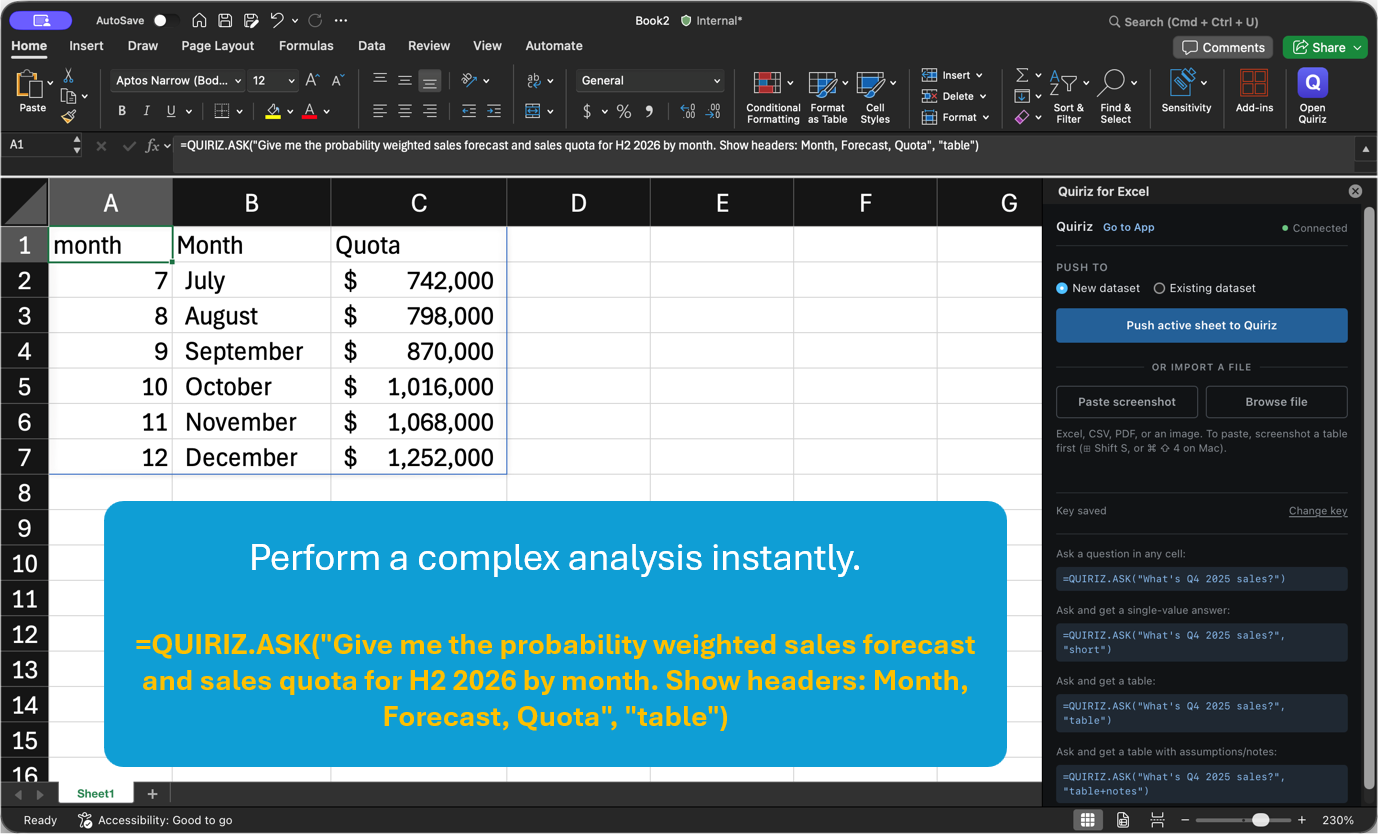
=QUIRIZ.ASK() computes against datasets loaded weeks ago, across files nobody has open, joined across sources if the question needs it. Same in Excel, same in Google Sheets.The clean test: open an empty sheet and ask about last quarter's revenue. A sidebar bound to the open workbook has nothing to read.
2. Sharing data with your team
The most valuable thing I built on a consulting engagement was usually the model, and the least durable thing I built was the model. I would spend six weeks constructing something that answered the client's question properly, present it, and roll off. Six months later somebody would email asking why a tab had stopped updating, and the honest answer was that it had never been designed to survive me.
That is the shape of the problem here, and it has nothing to do with how clever the analyst is. A brilliant analyst who cannot hand the work over leaves you with a slide deck, not a capability. The question to ask about any tool in this category is not whether it can produce the answer. It is whether the person who did not produce it can get it again next quarter without asking the one colleague who knows how the file was put together.
Claude Projects give a team a shared, permissioned knowledge base — real, and easy to set up. Then the practical problems start.
The Google Drive connector only works in private projects. It's disabled for shared projects. So the moment you share the space with your team — the entire point — automatic updates stop being available. What's left is manual upload: Claude Team project knowledge has no programmatic update mechanism, so files go in through the web UI, by hand, by a person.
Then there's the ceiling. Projects accept unlimited files, which sounds generous, but the knowledge base shares a context window of roughly 200K tokens — about 500 pages. Past that, Claude switches to retrieval and pulls fragments. Anthropic's own guidance is explicit that projects don't help with datasets that need to be analysed as a whole.
For spreadsheets that's disqualifying, and quietly so. A total computed over a retrieved fragment of your rows is a wrong number that looks exactly like a right one.
3. Deterministic numbers, out of the box
Ask Claude the same question about the same data next month and you may get a different number. That isn't a criticism of Claude specifically — it's what happens when a probabilistic model regenerates the analysis from scratch every run. Two things drift independently: the query, and the rows it sees.
Claude can be made deterministic — with an engineering project. Claude for Excel picks up custom MCP connectors, so you can point it at a governed semantic layer like dbt or Cube and get reproducible numbers in the sidebar. That genuinely works. It also requires a data warehouse, modelled tables, a metrics layer, an MCP server, and somebody to build and maintain all of it.
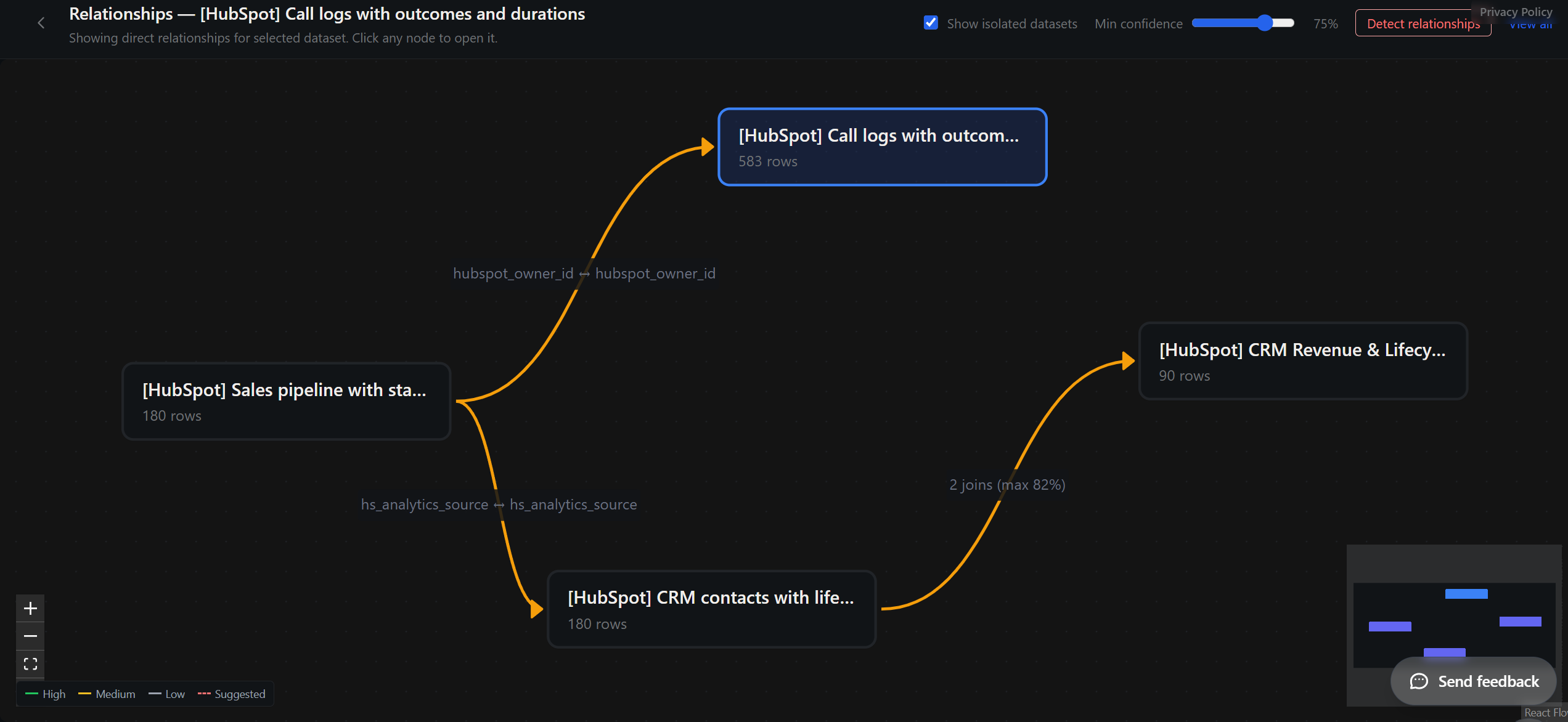
So the honest comparison isn't "Claude can't." It's "Claude can, once you've built the infrastructure underneath it." Quiriz is that layer, shipped. Define what "revenue" means once, in a builder with no SQL, and it compiles to a query that runs against every row.

4. Slack — where your team actually asks
Claude has no Slack surface. Questions happen in Slack; answers happen somewhere else, and someone copies between them. Quiriz answers in the channel, everyone in the thread sees it, and it's the same governed number the report gives.
5. $25 a seat, five-seat minimum — or none of that
Sharing a project with your team requires Claude Team — including for the ten people who ask one question a month. Quiriz charges per workspace: an answer costs us a fraction of a cent to serve, so we don't meter questions, don't sell credits, and don't charge for occasional askers. You pay for your data, not your people.
6. Speed — and what's actually being compared
Same question, same data, August 2026: "Show net sales by month in 2025."
Claude Code works like a careful analyst: it explores the filesystem, decides an approach, writes code, runs it, checks the result. That thoroughness is exactly why it can handle problems Quiriz can't touch — and why a question with a known shape takes minutes instead of seconds.
The point isn't that Claude is slow. It's that re-deriving an answer from scratch costs that time every single run, and most business questions get asked over and over. And the two outputs aren't the same artifact: one arrives with a definition behind it and per-step rows you can reconcile. Both are fast enough. Only one is checkable.
Where Claude genuinely wins
For deep analysis of one workbook, Claude for Excel is excellent — with cell-level citations we don't attempt. For statistics, forecasting, modelling or code, Claude Code will write and run whatever you need; Quiriz answers business questions, it doesn't fit models. If you have engineers and a warehouse, dbt or Cube plus Claude over MCP is a strong stack and we're not trying to replace it. And as a thinking partner on an open-ended problem, it's a different and better tool.
You probably shouldn't choose. Use both.
With Claude the split is unusually clean, because Claude is built to call tools. One rule underneath it: a language model shouldn't be the thing that computes the number.
Quiriz — the number
- Ingest messy exports from many systems
- Join across datasets
- Governed metric definitions
- The same figure every cycle, for everyone
- Per-step rows for audit
Claude — everything after it
- Reasoning, narrative, recommendation
- Decks, memos, client-ready write-ups
- Modelling, forecasting, statistics, code
- Deep exploration of one workbook
- Building the thing you do with the answer
Where this gets concrete: MCP. Claude reads tools through the Model Context Protocol, and Quiriz exposes a CLI and MCP surface. So Claude — in the terminal, in Cowork, or in the Excel sidebar — can query the governed layer directly rather than re-deriving an answer from files it partly read. You get Claude's reasoning on top of a number that doesn't move.
That's the same architecture teams build with dbt or Cube — a governed source an agent queries instead of guessing. The difference is that this one needs no warehouse, no modelling project, and no engineer to maintain it.
And close the loop. When Claude enriches or reshapes that data, push it back into Quiriz. It becomes a governed dataset again — scoped by team and project, refreshable, and askable from Excel, Sheets and Slack by colleagues with no terminal and no seat. Otherwise excellent analysis stays trapped in one developer's session.
What each is for: Claude is an outstanding analyst with no memory of what your team decided "revenue" means. Quiriz is that memory — and it hands Claude the right number to reason from.
Also compare: ChatGPT for data analysis · Microsoft 365 Copilot · AI for Google Sheets · AI in Excel: the full guide
Try it on your own data. No signup — upload a messy export and ask it something.
Claude features and pricing verified August 2026. Anthropic ships quickly — if something here is out of date, tell us and we'll correct it.
Related: AI Pricing Comparison 2026 — verified per-seat prices for Copilot, ChatGPT, Claude and Gemini and what a 10-person team really pays. AI Hallucination Statistics 2026 — why the same model scores 0.7% or 94% depending on the test.