Best AI Tools for Excel Data Analysis in 2026: 10 Compared
Ten AI data analytics tools for Excel data analysis, compared on AI queries, reports, dataset refresh, team collaboration, and real pricing. They handle xlsx and CSV too.
Every business runs on spreadsheets, and every business is slow at asking them anything. You export the file, fight the pivot table, rebuild the same report you built last week. The whole point of an AI data analytics tool is to skip that middle bit: drop in an Excel or CSV file, ask your question the way you'd ask a coworker, and get the answer back in seconds.
Before picking a tool, it is worth knowing what Excel already does unaided: the guide to Excel data analysis walks through pivot tables, Power Query and the Analysis ToolPak, several of which make a paid tool unnecessary.
One scoping note. Every tool on this page is one you upload a file to. If you'd rather the AI worked inside the workbook you already have open, that's a different category with different winners — see the directory of AI add-ins that install into Excel.
Not every tool solves the same problem, though. Some are single-user chat notebooks. Some are enterprise BI platforms. A few are built for teams that share the same datasets. This guide compares ten of the most popular AI tools for Excel data analysis (they handle xlsx and CSV too) so you can pick the right one for how you actually work.
Fair warning: Quiriz is ours. I've pointed out where the other tools beat us rather than pretend they don't, and every number here comes from each vendor's own pricing and product pages as of July 2026.
How we compared
We scored each tool on the six things that matter when your source data lives in CSV and Excel files:
The reason any of this is worth doing: roughly 94% of consequential business spreadsheets contain errors, and about half of the models larger companies depend on carry a defect material enough to change the answer — the sourced numbers are in our spreadsheet statistics roundup.
- CSV / Excel / xlsx support. Can you upload spreadsheets directly, without converting them first?
- Plain-English AI queries. Ask a question, get the right calculation, no formulas or SQL.
- Reports. Turn answers into a formatted, repeatable report or dashboard.
- Dataset refresh. Keep a saved dataset current automatically (scheduled, email, or API), not a one-off upload — you can even automate the whole feed from a SaaS tool.
- Team collaboration. Shared datasets, projects, and answers across more than one person.
- Price. Entry cost and, crucially, what a whole team pays.
Quick comparison table
| Tool | CSV / Excel | Team collab | Auto refresh | Reports | Entry price | Team price |
|---|---|---|---|---|---|---|
| Quiriz | Native | Built-in | Scheduled + email + Slack + API | Yes, templated | Free / $12 | Flat $30–$60 (not per seat) |
| Julius AI | Native | Business tier only | Session-based | Yes | Free / ~$20+ | ~$375/mo (Business) |
| ChatGPT (Adv. Data Analysis) | Native | Shared chats, not data | No | Ad hoc | Free / $20 (Plus) | ~$25–30/user (Business) |
| Powerdrill | Native | Team Pro tier | Limited | Yes | Free / ~$14 | ~$13/seat |
| Formula Bot | Excel / Sheets | Max tier+ | Scheduled | Yes | Free / $18 | $29–149/user |
| Querri | Native | Yes (credits) | Dashboards | Yes | Free / $119 | $399/mo (Team) |
| camelAI | DB-first | Team tier (RBAC) | Cron jobs | Apps | Free / $40 | $50/seat (min 3) |
| Anomaly | Excel | Team tier | Auto scheduling | Yes | Free / $25 | $45/seat (min 2) |
| Google Gemini (Sheets) | Via Google Sheets | Workspace | Manual | In Sheets | Workspace Std+ | ~$14+/user |
| Microsoft 365 Copilot (Excel) | In Excel | Per workbook | Manual | In Excel | $18–21/user add-on | + M365 base license |
Pricing and features are as published by each vendor as of July 2026 and change often. Verify current numbers on each provider's site before buying. Prices shown are US dollars per month unless noted.
The 10 tools in detail
Quiriz Best for: teams on CSV / Excel
Think of Quiriz as a shared brain for your spreadsheets. You import a CSV or Excel file, ask questions the way you'd ask a coworker, and get an answer, table, or chart back in seconds. Then you publish it as a formatted report the whole team can see. That last part is what we spent most of our time on.
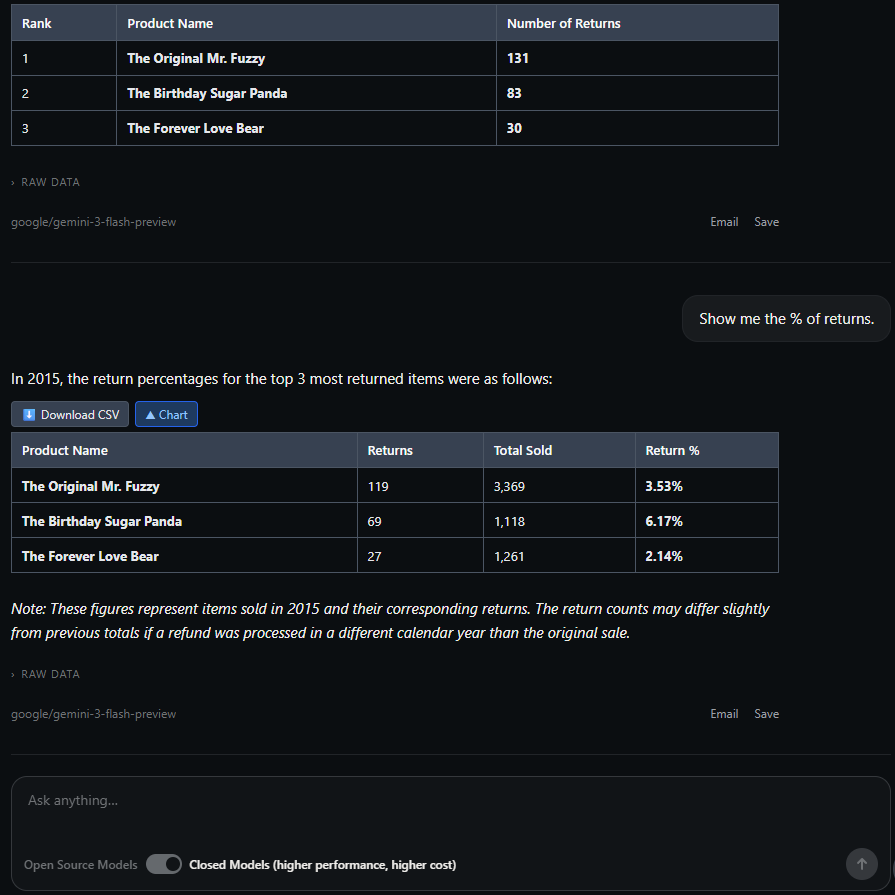
- Native CSV, Excel and xlsx import, and it figures out the column types for you.
- AI data analytics grounded in your actual data, with reports that keep your own templates and colors.
- Automatic dataset refresh (scheduled, by email, via Slack, or by API), so nobody's staring at last week's numbers.
- Team stuff is built in, not bolted on: shared datasets, projects, threaded discussion, even a Slack teammate.
- One flat price for the workspace, so the bill doesn't creep up every time you add a person.
- We're newer and smaller than the incumbents, so fewer third-party connectors than a big enterprise BI suite.
- Built for business spreadsheet data. It's not a general chatbot, and it's not a data-warehouse query engine.
Where it wins: the second person. One person pulling answers from a spreadsheet? Plenty of tools handle that. A whole team wanting the same answers, with reports and refresh included and no per-seat bill, is the exact case we built for. Try it free →
Julius AI Best for: solo analysts
Julius is the polished one. It's a notebook-style AI analyst: upload a CSV or Excel file and it writes and runs the analysis for you, spitting out clean charts and proper statistical output. For solo, exploratory CSV analysis it's a genuine favourite, and deservedly so.
- Really strong single-user analysis, and the visualizations look good.
- Reads Excel, xlsx and CSV natively.
- Team collaboration is locked behind the Business tier, which runs about $375/mo.
- Everything's session-based. There's no managed, auto-refreshing shared dataset to come back to.
vs Quiriz: Julius wins for a lone analyst poking at a file. We're the better fit for a team reusing the same datasets that needs scheduled refresh and shared reports, and at a fraction of Julius's team price.
ChatGPT — Advanced Data Analysis Best for: ad-hoc, general use
You probably already have this one. ChatGPT's Advanced Data Analysis (it used to be called Code Interpreter) writes and runs Python against an uploaded CSV or Excel file to answer questions and draw charts. It's flexible, and it's great for one-off AI queries when you're already paying the subscription.
- Wildly flexible. It'll wrangle messy files and any custom logic you throw at it.
- Comes bundled with a subscription a lot of people already pay for.
- Nothing persists. Every chat starts from zero, and there's no scheduled refresh.
- Data is per-user. The Business plan shares chats, not managed team datasets.
vs Quiriz: ChatGPT is a general assistant that happens to analyze data. We're a data tool that remembers your datasets, keeps them fresh, and shares the answers across a team.
Powerdrill Best for: budget CSV Q&A
Powerdrill's pitch is basically price. Upload a CSV, Excel, TSV or SQL file, ask a question in normal words, and get insights and charts back, all for very little money. The free-forever tier is the real thing, not a two-week tease.
- Cheap, and that free-forever tier is genuine.
- Takes a wide range of files, CSV and Excel included.
- Collaboration and reporting are thinner than the team-first tools.
- Automatic refresh options are pretty limited.
vs Quiriz: the entry price is close. For that same low tier we throw in scheduled refresh, richer reports, and deeper team collaboration.
Formula Bot Best for: spreadsheet automation
Formula Bot has a nice origin story: it began life as an Excel formula generator, then kept growing until it became a full data-analysis platform. Today it connects to Excel and Google Sheets, does scheduled reporting, and offers shared workspaces.
- Scheduled reporting on a daily, weekly, or monthly cadence.
- Shared workspace once you're on the Max tier or above.
- Every tier caps your messages and AI actions.
- Per-user pricing adds up fast once the team gets bigger.
vs Quiriz: both of us automate reports. Our flat pricing and built-in Slack and discussion make us cheaper and more collaborative the more people you add.
Querri Best for: shared dashboards
Dashboards are Querri's whole game. It takes your CSV and Excel uploads and turns them into shareable dashboards you can hand to unlimited viewers, all driven by a question-and-answer interface. Nice idea, if the pricing works for you.
- Solid dashboard sharing and generous viewer access.
- Never puts file uploads behind a paywall.
- It runs on credits, and even a viewer's question burns some.
- The Team tier is steep at $399/mo.
vs Quiriz: same team goals, very different bill. Our flat plans skip the per-question credit meter entirely.
camelAI Best for: database-native teams
camelAI is the odd one out here, in a good way. Instead of files, it plugs straight into databases like Postgres, MongoDB and BigQuery, then lets teams build AI-powered data apps on top with scheduled cron refresh and role-based access. If your data already lives in a warehouse, keep reading.
- Excellent when your data already sits in a database.
- Fine-grained cron scheduling plus proper RBAC.
- It's database-first, so raw CSV and Excel files aren't really its home turf.
- You bring your own API keys or model credits, and the team tier needs at least 3 seats.
vs Quiriz: go camelAI if a warehouse is your source of truth. We're built for teams whose data still starts life as a spreadsheet.
Anomaly Best for: quick insight dashboards
Anomaly (you'll find it at findanomaly.ai) reads Excel and a handful of other sources, then generates insights, charts and scheduled reports inside shared team workspaces. It's a tidy little insight-dashboard tool.
- Auto report scheduling kicks in from the Pro tier.
- Shared workspace, plus you can see how the team's using it.
- Usage is capped by credits.
- The Team tier wants a 2-seat minimum.
vs Quiriz: similar feature list. Our flat, no-credit pricing usually comes out cheaper once a team is running steady, higher usage.
Google Gemini in Sheets Best for: Google Workspace shops
If your team already lives in Google Workspace, Gemini is right there. It sits inside Google Sheets, summarizing data and surfacing insights without you leaving the spreadsheet. Convenient is the operative word.
- Nothing new to adopt. It's already in Sheets.
- Comes with Standard-tier Workspace and above.
- Excel and CSV files have to be converted to a Google Sheet first.
- You're stuck with Sheets' scale limits, and it isn't a purpose-built analyst.
vs Quiriz: Gemini's fine for light questions inside a sheet. We handle bigger datasets, read xlsx natively, refresh on a schedule, and share reports across teams.
Microsoft 365 Copilot in Excel Best for: heavy Excel users
Copilot puts AI inside Excel itself. It analyzes your tables, suggests formulas, and builds charts without you ever leaving the workbook. For someone who already spends their whole day in Excel, that's a real draw.
- Lives right inside Excel, where your data already is.
- Carries Microsoft's security and compliance.
- It's a paid add-on that needs a qualifying Microsoft 365 base license, so the real per-seat cost is often two or three times the add-on price.
- Everything stays trapped in individual workbooks. There's no shared team dataset and no question-and-answer layer across files.
vs Quiriz: Copilot supercharges one person's workbook. We give the whole team one shared, always-current view of the same data, for a lot less.
Which AI data tool is right for you?
- You work alone and just want to explore a file → Julius or ChatGPT Advanced Data Analysis.
- You want the cheapest single-user CSV Q&A → Powerdrill.
- Your data lives in a database → camelAI.
- You live in Google Sheets or Excel already → Gemini in Sheets or Microsoft 365 Copilot, or Python in Excel if you are willing to write code.
- Your team shares spreadsheets and needs answers, reports, and automatic refresh without per-seat costs → Quiriz.
So here's the honest version. The single-user tools are genuinely good, and if you work alone one of them is probably your answer. It's the second seat where things get expensive: per-user pricing and one-off uploads pile up faster than you'd think. Team access to the same Excel data, at a flat price, is the specific gap Quiriz was built to fill.
Not ready to pay for any of them yet? Most of the tools above run a free tier, and we've compared what each one actually gives you in our guide to the best free AI data analysis tools.
See your own data, answered
Upload a CSV or Excel file, ask a question in plain English, and get the answer in seconds. Free to start.
Try Quiriz free →Frequently asked questions
What is the best AI tool for CSV data analysis?
Can AI analyze Excel (xlsx) files directly?
What is a CSV analyzer and how do AI queries work?
Are there free AI tools for CSV and Excel data analysis?
Which AI data tool is cheapest for a whole team?
Comparison compiled July 2026 from each vendor's public pricing and product pages. Details change frequently, so confirm current features and prices with each provider before purchasing.